I forgot my password
Go to the forgot password page and enter your username. We send a verification code, which you enter along with your new password. If the code never arrives, message us on WhatsApp and we will help.
Contact channels
Our customer support team is available 24/7. WhatsApp is the fastest way to reach us; email is better when you need to attach a document.
The fastest way to get help with a transaction or your account. Our number is +250 781 802 412.
Start a WhatsApp chatIf your question is about the Nokanda phone app rather than the business portal, install it below.
Self-service
Most questions already have a written answer below — often quicker than waiting for a reply.
Step-by-step walkthroughs of the platform, from creating an account to downloading reports.
Short answers about signing up, fees, security and using the platform.
What to do when a meter is not registered to your TIN, and how to get it linked or transferred.
Linking or transferring a meter TIN is handled by REG, but these are the documents you will need. Complete the form, have it signed, and submit it to your sector's REG office.
The form for linking or transferring a TIN on a single meter.
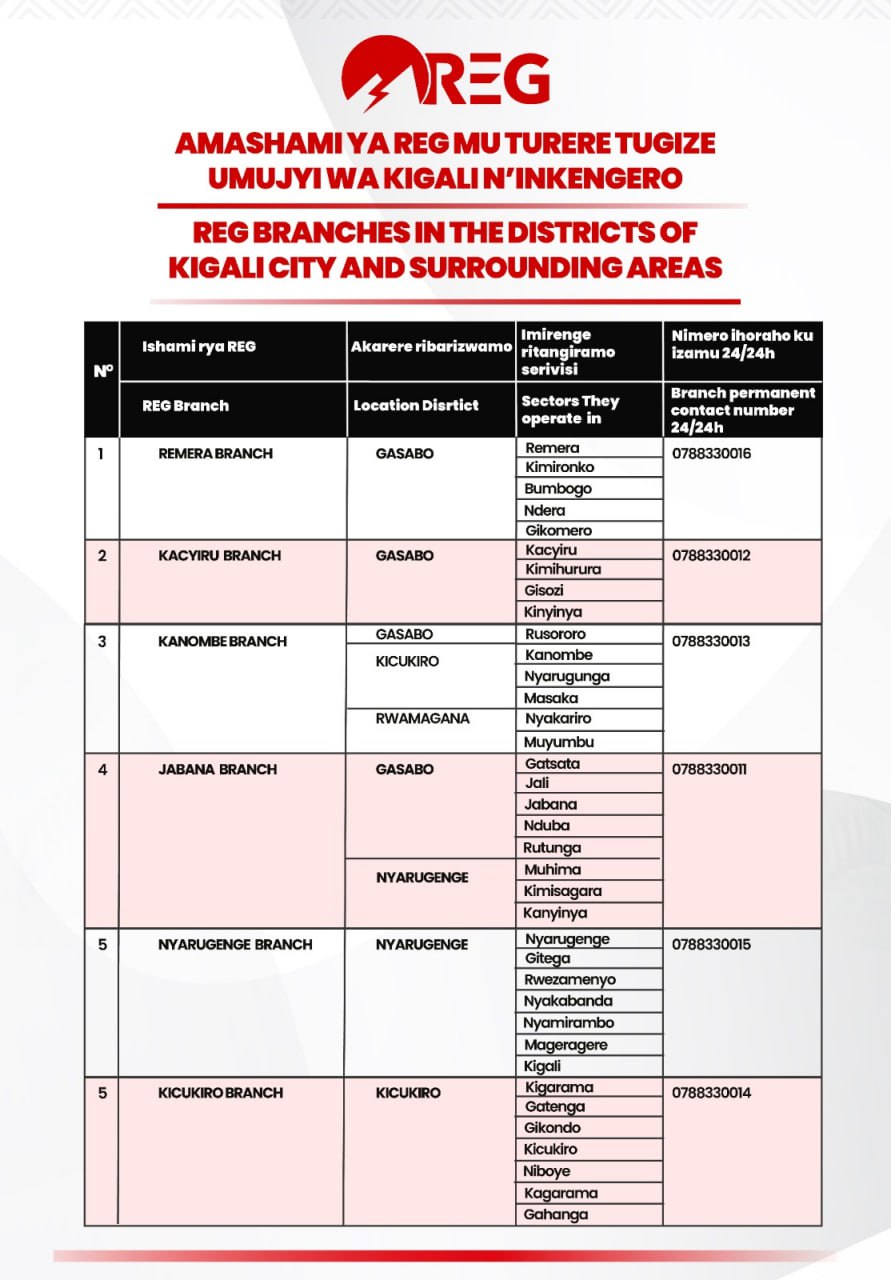
Which REG branch serves which sector.
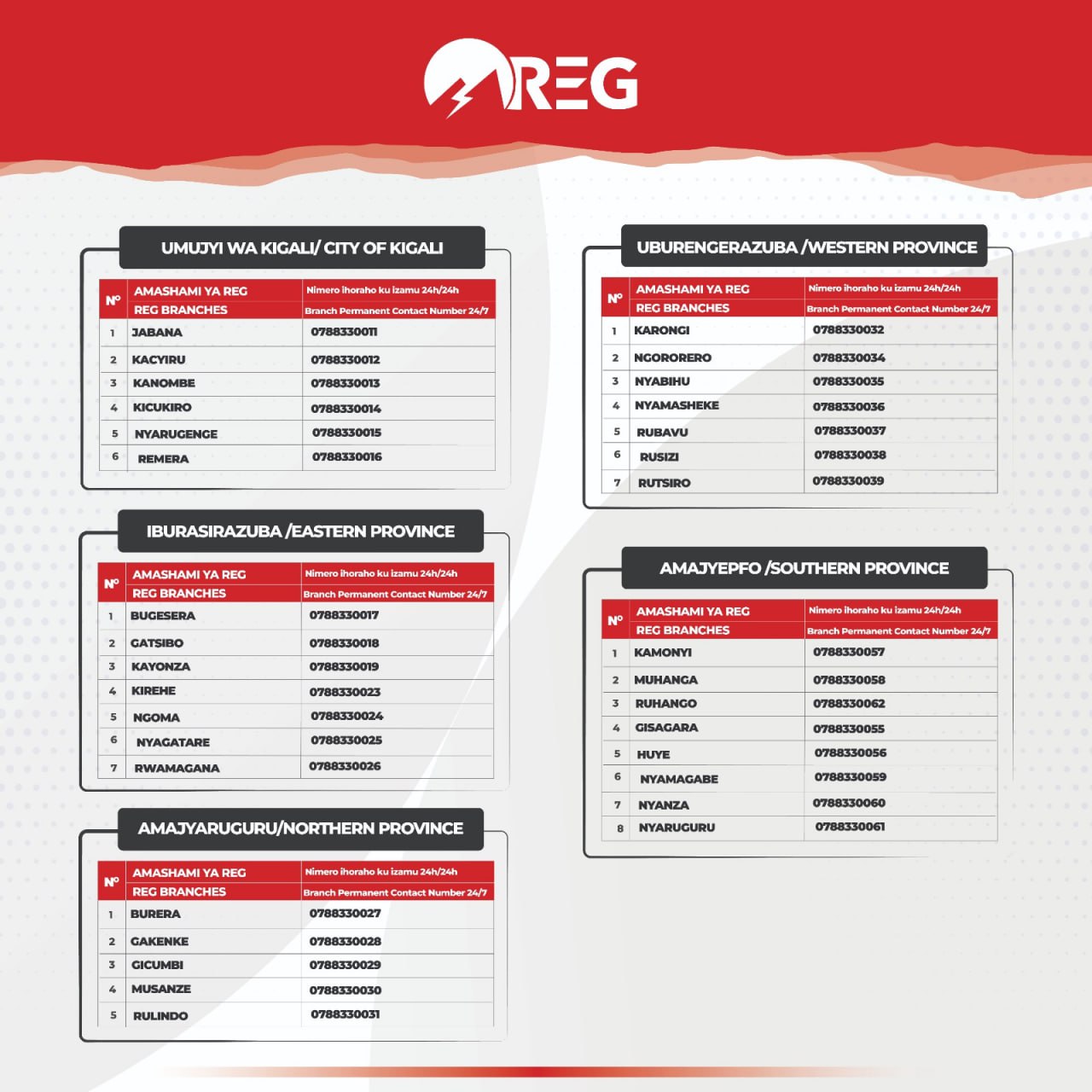
Contact numbers for the REG branches.
Match your village to its sector, then find its branch.
Troubleshooting
Go to the forgot password page and enter your username. We send a verification code, which you enter along with your new password. If the code never arrives, message us on WhatsApp and we will help.
The account deletion page explains what is removed and what is kept. For questions about a deletion request, email us at [email protected].
If none of the above covers it, message us with your business name and, if you have one, the transaction reference.
Get in touch