Bulk utility purchasing
Whether you own twenty meters, or two hundred, you can easily buy for all of them at once through the platform, in a matter of seconds.
Single purchases are also still possible and just a click away.

Features
Nokanda for Business is the utilities platform we built for businesses and organizations in Rwanda. It takes the everyday work of keeping meters loaded and phones connected — buying EUCL electricity, buying MTN airtime, collecting the receipts your accountant needs — and puts it in one account that you can work from.
Below are the platform's features, area by area. The service is free and easy to use; you fund a wallet and buy from it.
Whether you own twenty meters, or two hundred, you can easily buy for all of them at once through the platform, in a matter of seconds.
Single purchases are also still possible and just a click away.
You are not required to download or install any apps. The portal runs in a browser on a computer, a tablet or a smartphone, and it is available whenever you need it.
The platform is available in English, Kinyarwanda and French.
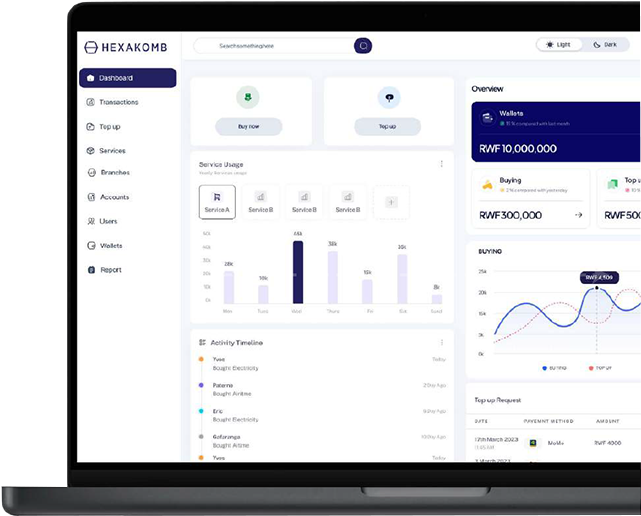
Every purchase you make is written to one transactions ledger with its date, the meter or number it went to, the service and the amount in RWF
You can filter transactions by period or service, and export the results in different formats, making it easy to reconcile your billing and invoices.
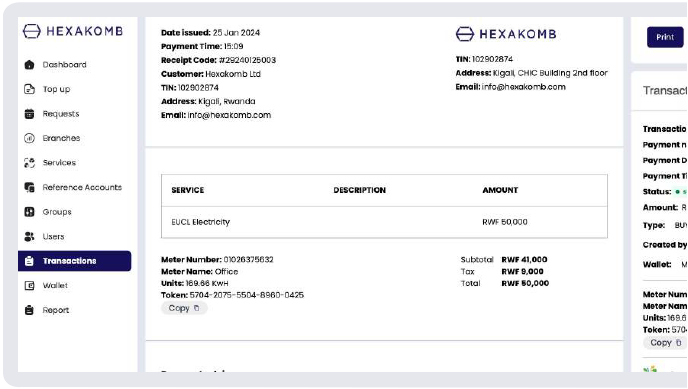
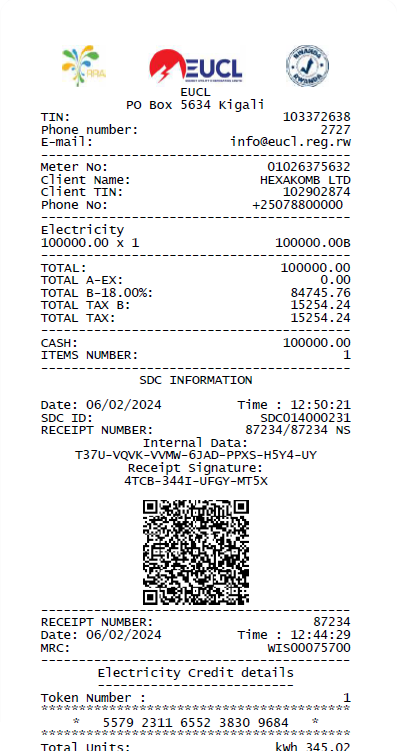
Every electricity purchase you make comes with its own VAT-certified EBM receipt, ready to download from the transaction itself.
You can either download receipts for a single purchase or a period of time and you get notified whenever a new receipt is available for download.
The user guide shows how to request and download receipts, including linking your TIN to a meter so the receipts come out in your company's name.
You can generate a full statement of account for any period, with your institution's details, an opening and closing balance, and every movement in between.
Pick one of the preset periods or set your own dates, filter by wallet, activity type or service, and export the statement in different file formats.
See your wallet balances at a glance, which accounts consume the most, and how much you buy each month.
Check the average spend and monthly usage for any meter, with daily and monthly breakdowns.
Rank your accounts by total amount, number of transactions, last activity or monthly usage over any period.
Businesses of any size can manage several properties or locations from a single account.
You can add colleagues to your account by simply sending them invitations.
Create an account, add a meter or a phone number, and buy once. Follow the user guide to get started or talk to us directly for any questions.
Questions first? Email [email protected] or message us on WhatsApp.